It has been one hell of year. Definitely seemed to fly by, but there was so much that was done.
Let's see, I got kicked out of my rental space. Thankfully I was able to buy a house and move even deeper into being a home studio. Big plans to build out though, we shall see what happens.
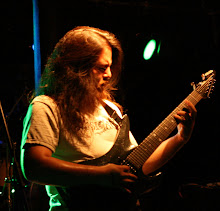
My band, Carrion Kind, finally finished our first full-length album that has been getting great reviews and decent sales. We played a lot of shows this year, all local. It is likely we overplayed, so I plan to dial that back a little bit. Towards the end of the year, we finished writing our second album and began pre-production. 2015 will likely bring our second album.
On the studio front, I also finished up the first Yar EP and the first Salt for Knives EP. This year also saw the release of the Savage Wizdom full length that we worked on in 2013.
This year for me has seen huge growth in live sound gigs. My PA has grown considerably to handle it. I think I am going to see a shift into that realm. Most venues in Santa Fe do not have adequate PA systems or people to run them. Even though the pricing is a race to the bottom at the level I am at, at least it isn't as bad as the studio market. But wow the PA investment for performance is shockingly high.
I have also had the opportunity to make a lot of flyers and promote a lot of shows. Way too many highlights to even list them all. Some of the best shows I was so busy running sound, managing, and likely performing, they are mainly blurs of stress.
So... 2015 is looking bright! I am working with Colossal Swan Dive now. Been asked to join 2 additional bands. Carrion Kind and Strangled by Strangulation has releases on the horizon. My PA is in full force. I might invest in column arrays for more challenging acoustic locations. I think my stage monitoring system could use some love as well.
Bring it!
Friday, January 2, 2015

Thursday, October 9, 2014
Instant Starship noise!
Had this shown to me recently and it makes an instant starship noise! Never know when you'll need it!
This is for the linux super nerds out there!
play -c 2 -n -c1 synth whitenoise lowpass -1 120 lowpass -1 120 lowpass -1 120 gain +10
Then if you just want to feel at home on the Enterprise:
https://www.youtube.com/watch?v=sCSaqkyQVio&list=UUF6R1ZDskjCeBMomUGCtxXw
Bwahahaha!
This is for the linux super nerds out there!
play -c 2 -n -c1 synth whitenoise lowpass -1 120 lowpass -1 120 lowpass -1 120 gain +10
Then if you just want to feel at home on the Enterprise:
https://www.youtube.com/watch?v=sCSaqkyQVio&list=UUF6R1ZDskjCeBMomUGCtxXw
Bwahahaha!
Monday, September 22, 2014
Prepare Yourself! Carrion Kind, Yar, Savage Wizdom, and Salt for Knives!
Wow it has been absolutely crazy the past few months. Also been a really long time since I last posted any sort of news. So much has happened. I had to move to a new house and start building a studio from scratch again. This time I own the damn place so I hope to not have to move again for a while. Every move just seems to hold everything back.
Since I have been still working and spearheading Kronos Creative, the live sound gigs have really been coming on strong. So there have been some big investments in PA Equipment to handle just about any medium sized gig!
Oh yeah and read about me in the Santa Fe Reporter: http://www.sfreporter.com/santafe/article-9114-carrion-kind-kills.html
On the studio front, there have been 4 releases that I have had my hand in!
Carrion Kind - The Collapse of All to Come - My own band. About a year in the making. I did all the tracking and producing. But after pulling my hair out mixing, I hired Dave Otero - www.flatlineaudio.com to do the mixing and mastering. Came out so sick!
Savage Wizdom - A New Beginning - A year of tracking and handed off mixing to Mike Apodaca. He did an excellent job and I am glad he was able to do it. As much as I love mixing, there was just too much turmoil in my life to handle it.
But... not to sweat, I am back in the mixing seat so check out these two bands:
Salt for Knives - Conglomerate of Misery - Was a couple years in the making with my good friend Frank Green. He put together some killer songs that just had to be released. I programmed drums, played bass, and produced/mixed/mastered. Really happy with the outcome!
Yar - Yar Demo - This is a new thrash band about to be unleashed on Santa Fe. Tracked drums at their rehearsal space with a mobile rig. Did overdubs at my new place. They did an awesome job and I had a ton of fun working on this project. Keep an eye out for them, lots of great things coming!
------
So as of now, I guess I am back open for business!
Ready to handle whatever projects may come my way. I can also handle small or large CD Duplication now with some awesome pricing and any packaging you can dream of. I guess these days I am also an official part of Entelodon Records doing whatever I can to grow the scene!
Since I have been still working and spearheading Kronos Creative, the live sound gigs have really been coming on strong. So there have been some big investments in PA Equipment to handle just about any medium sized gig!
Oh yeah and read about me in the Santa Fe Reporter: http://www.sfreporter.com/santafe/article-9114-carrion-kind-kills.html
On the studio front, there have been 4 releases that I have had my hand in!
Carrion Kind - The Collapse of All to Come - My own band. About a year in the making. I did all the tracking and producing. But after pulling my hair out mixing, I hired Dave Otero - www.flatlineaudio.com to do the mixing and mastering. Came out so sick!
Savage Wizdom - A New Beginning - A year of tracking and handed off mixing to Mike Apodaca. He did an excellent job and I am glad he was able to do it. As much as I love mixing, there was just too much turmoil in my life to handle it.
But... not to sweat, I am back in the mixing seat so check out these two bands:
Salt for Knives - Conglomerate of Misery - Was a couple years in the making with my good friend Frank Green. He put together some killer songs that just had to be released. I programmed drums, played bass, and produced/mixed/mastered. Really happy with the outcome!
Yar - Yar Demo - This is a new thrash band about to be unleashed on Santa Fe. Tracked drums at their rehearsal space with a mobile rig. Did overdubs at my new place. They did an awesome job and I had a ton of fun working on this project. Keep an eye out for them, lots of great things coming!
------
So as of now, I guess I am back open for business!
Ready to handle whatever projects may come my way. I can also handle small or large CD Duplication now with some awesome pricing and any packaging you can dream of. I guess these days I am also an official part of Entelodon Records doing whatever I can to grow the scene!
Tuesday, June 10, 2014
Converting DDP to CUE and CUE to WAV/MP3
When working with professional mastering engineers, you will often get a DDP image of your master. Or sometimes you get a CUE with a CDT and attached WAV file. Here are a few tricks to dealing with those.
DDP Mastering Tools for the Command Line
You can get it for Windows or Linux or Mac. I prefer Linux, but basically it is just a zip file with binary executables ready to go. But keep in mind for 64-bit Linux, you have to install the 32-bit libraries (sudo apt-get install ia32-libs). Once you have them where you want, you will have to open a shell in windows (cmd). Mac is similar to Linux, but you will have to find the terminal on your own.
Edit: 7/2015
Just found this poking around the web. It is a GUI version of some of these tools.
http://forum.cockos.com/showpost.php?p=1040305&postcount=294
But again I like Linux and the command line (should work for mac too):
DDP Manipulation
If you pay money you can get the DDP tools from Sonaris. Wavlab can only burn a DDP to an image... lame. If you are comfortable with the command line, you can use FOR FREE:DDP Mastering Tools for the Command Line
You can get it for Windows or Linux or Mac. I prefer Linux, but basically it is just a zip file with binary executables ready to go. But keep in mind for 64-bit Linux, you have to install the 32-bit libraries (sudo apt-get install ia32-libs). Once you have them where you want, you will have to open a shell in windows (cmd). Mac is similar to Linux, but you will have to find the terminal on your own.
# to get the help
ddpinfo --help
cue2ddp --help
cdtinfo --help

# verify correctness of DDP
ddpinfo --verify /path/to/DDP/Folder

# extract cue and wav
ddpinfo -w shiz.wav /path/to/DDP/Folder
Then you can listen to the wav file or use something like ImgBurn or whatever burning software you like that supports .CUE images.
Edit: 7/2015
Just found this poking around the web. It is a GUI version of some of these tools.
http://forum.cockos.com/showpost.php?p=1040305&postcount=294
Splitting a CUE to Individual WAV
Now that isn't all, say you want individual WAV's for online distribution or MP3's. Well in Windows you can check out:But again I like Linux and the command line (should work for mac too):
# stuff to install
aptitude install shntool cuetools

# just to break into tracks
shntool split -f shiz.cue -o wav shiz.wav

# break into tracks winth Band_Name-Album_Title-00-Song_Title.wav
# notice underscores for spaces and dashes for sections
# RTFM for more options
shntool split -f shiz.cue -o wav -m \ _:- -t %p-%a-%n-%t shiz.wav

# Then if you want to convert the waves from above to MP3 in one shot
# It uses the naming convention above to determine the track names and fill the ID3 tags properly
# Linux/Mac only, I did this once in Windows Powershell, but it sucked
for i in `ls *.wav`; do lame --preset studio --ta "Artist Name" --tl "Album Name" --ty "2011" --tg "Metal" --tn "$(echo $i|awk -F\- '{print $3}')" --tt "$(echo $i|awk -F\- '{print $4}'|awk -F\. '{print $1}'|sed 's/_/ /g')" $i $(echo $i|awk -F\. '{print $1}').mp3; done
This will sure help me. Hope it helps you!
Probably should throw this into a shell script...
Friday, March 21, 2014
Exporting Cubase Tracks with the Click
Been a while since I have posted... busy yo! And this really needs pictures and shit, but I am just going to talk about it and you will be on your own to figure it out.
Here is a problem that has plagued me for years with all sorts of weird workarounds. You work with a band to get the scratch tracks and tempo's all set. Then they want a copy to take home and practice to... fuckin' yes! Oh wait.. how the hell do I do that!?!?!
I have heard and seen all sorts of workarounds. Micing the studio monitors soloing the click and recording that. Routing the click to a mono bus and routing that to an input and recording it. Shit I have even tried a "recorder" VST plugin on the master bus to record what is played at that point. Such bullshit and I don't know why for all these YEARS Cubase doesn't have this.
My personal favorite was using Cubase LM-7 drum machine with its built in Clave sample. To do that you make a MIDI track, use the quantize to draw hits on 1-4. Then Ctrl-K to repeat it the number of times in the song. Mix to taste and export. Of course you can use any VSTi you want.
As LM-7 was dropped (Cubase 4?) I found an old folder online where you could still get LM-7. Then moving to Cubase 7, I started using the "Click" sample in Groove Agent ONE. Ok great, this works... but you get used to hearing a certain click. So if you practice to the clave, you want the clave. All good, just manage it in the session. But that is a pain and you can't use Control Room, or "c" to turn it on and off. Workable but a pain.
So then I would sample LM-7's clave and put it into the Cubase's click configuration as the click wav file. Ok cool. But the bleeps are better IMO. They cut through the mix better and because of that, headphone bleed isn't as bad since it doesn't have to be as cranked in the headphones.
Some guys that use a click regularly don't have a problem switching from the clave the practiced to and the bleep's of cubase (I prefer the bleeps). And I mean you know how everyone practices to a click, no problem right!?!?
Well today I had a thought, sample Cubase's actual click sound and put that sample into Groove Agent ONE. Why didn't I think of this sooner!?!?
So to add a sound to Groove Agent ONE, you just have to import it into the song or find it in the media bay. Then drag and drop it onto the pad of the note you want. Easy! Do that twice and you are done.
Now... sampling the fucking click sound... well thankfully someone already did that for you!
Everyone Hates the Default Click, Shut up I fixed it for you.
It is about reaper, but it even has logic and pro-tools clicks. Now I can even have the pro-tools click for those dudes that are used to that!
Make one measure of a MIDI file and CTRL-k is the magic sauce for repeat.
You are welcome!
Tuesday, October 4, 2011
Using the Dreamplug's Crypto Chip
After talking with colleagues regarding this box (there are now several around) I learned that the encryption is pretty slow. But this is without the hardware encryption enabled. So let's see if it can be enabled.
For more information visit:
http://www.newit.co.uk/forum/index.php?topic=2030.0
Intel(R) Pentium(R) CPU G6950 @ 2.80GHz
Fix the versioning: http://chris.dzombak.name/blog/2010/03/building-openssl-with-symbol-versioning
Yeah way way faster. Oh and SSH uses OpenSSL. So be careful. It can cut your connection and you will need the JTAG to reconnect.
For more information visit:
http://www.newit.co.uk/forum/index.php?topic=2030.0
Reference
Intel(R) Pentium(R) CPU G6950 @ 2.80GHz
$ openssl speed -evp aes128
Doing aes-128-cbc for 3s on 16 size blocks: 12582002 aes-128-cbc's in 3.00s
Doing aes-128-cbc for 3s on 64 size blocks: 4295548 aes-128-cbc's in 2.99s
Doing aes-128-cbc for 3s on 256 size blocks: 1121451 aes-128-cbc's in 3.01s
Doing aes-128-cbc for 3s on 1024 size blocks: 284735 aes-128-cbc's in 3.00s
Doing aes-128-cbc for 3s on 8192 size blocks: 35731 aes-128-cbc's in 3.00s
OpenSSL 0.9.8e-fips-rhel5 01 Jul 2008
built on: Tue Dec  7 12:16:36 EST 2010
options:bn(64,32) md2(int) rc4(idx,int) des(ptr,risc1,16,long) aes(partial) blowfish(idx)
compiler: gcc -fPIC -DOPENSSL_PIC -DZLIB -DOPENSSL_THREADS -D_REENTRANT -DDSO_DLFCN -DHAVE_DLFCN_H -DKRB5_MIT -I/usr/kerberos/include -DL_ENDIAN -DTERMIO -Wall -O2 -g -pipe -Wall -Wp,-D_FORTIFY_SOURCE=2 -fexceptions -fstack-protector --param=ssp-buffer-size=4 -m32 -march=i686 -mtune=generic -fasynchronous-unwind-tables -Wa,--noexecstack -DOPENSSL_USE_NEW_FUNCTIONS -fno-strict-aliasing -DOPENSSL_BN_ASM_PART_WORDS -DOPENSSL_IA32_SSE2 -DOPENSSL_BN_ASM_MONT -DSHA1_ASM -DMD5_ASM -DRMD160_ASM -DAES_ASM
available timing options: TIMES TIMEB HZ=100 [sysconf value]
timing function used: times
The 'numbers' are in 1000s of bytes per second processed.
type             16 bytes     64 bytes    256 bytes   1024 bytes   8192 bytes
aes-128-cbc      67104.01k    91944.84k    95379.22k    97189.55k    97569.45k
$ openssl speed -evp aes128
Doing aes-128-cbc for 3s on 16 size blocks: 1520029 aes-128-cbc's in 3.00s
Doing aes-128-cbc for 3s on 64 size blocks: 451973 aes-128-cbc's in 3.00s
Doing aes-128-cbc for 3s on 256 size blocks: 118487 aes-128-cbc's in 3.00s
Doing aes-128-cbc for 3s on 1024 size blocks: 29964 aes-128-cbc's in 2.99s
Doing aes-128-cbc for 3s on 8192 size blocks: 3758 aes-128-cbc's in 3.00s
OpenSSL 0.9.8o 01 Jun 2010
built on: Thu Feb 10 21:19:23 UTC 2011
options:bn(64,32) md2(int) rc4(ptr,int) des(idx,risc1,4,long) aes(partial) blowfish(idx)
compiler: gcc -fPIC -DOPENSSL_PIC -DZLIB -DOPENSSL_THREADS -D_REENTRANT -DDSO_DLFCN -DHAVE_DLFCN_H -DL_ENDIAN -DTERMIO -O2 -Wa,--noexecstack -g -Wall
available timing options: TIMES TIMEB HZ=100 [sysconf value]
timing function used: times
The 'numbers' are in 1000s of bytes per second processed.
type             16 bytes     64 bytes    256 bytes   1024 bytes   8192 bytes
aes-128-cbc       8106.82k     9642.09k    10110.89k    10261.92k    10261.85k
HOWTO Configure Hardware AES with OpenSSL
First I had to get some things set up:
#NOTE: Be aware of space, I moved a lot of directories to an attached esata disk for more space and speed. Then symlinked them into place.
sudo aptitude install build-essential
cd /usr/src
wget http://dreamplug.googlecode.com/files/linux-2.6.33.6.tar.bz2
tar -xjf linux-2.6.33.6.tar.bz2
ln -s linux-2.6.33.6 linux
ln -s /usr/src/linux-2.6.33.6 /lib/modules/2.6.33.6/build
ln -s /usr/src/linux-2.6.33.6 /lib/modules/2.6.33.6/source
cd /usr/src/linux
wget http://archlinuxarm.org/mirror/with-linux/2.6.33/2.6.33.6/sheeva-2.6.33.6.config
zcat /proc/config.gz > .config
make uImage && make modules
wget http://download.gna.org/cryptodev-linux/cryptodev-linux-1.0.tar.gz
tar -xzf cryptodev-linux-1.0.tar.gz
cd cryptodev-linux-1.0
make; make install
echo "cryptodev" >> /etc/modules
modprobe cryptodev
wget http://sourceforge.net/projects/ocf-linux/files/ocf-linux/20110530/ocf-linux-20110530.tar.gz/download -O ocf-linux-20110530.tar.gz
tar -xzf ocf-linux-20110530.tar.gz
wget http://www.openssl.org/source/openssl-0.9.8r.tar.gz
tar -xzf openssl-0.9.8r.tar.gz
cd openssl-0.9.8r
patch -p1 < ../ocf-linux-20110530/patches/openssl-0.9.8r.patch
./config shared threads zlib --with-cryptodev --openssldir=/etc/ssl --libdir=/usr/lib --prefix=/usr
make depend; make; make install
Fix the versioning: http://chris.dzombak.name/blog/2010/03/building-openssl-with-symbol-versioning
Results
Then here are the results after with OpenSSL
$ openssl speed -evp aes128
Doing aes-128-cbc for 3s on 16 size blocks: 78428 aes-128-cbc's in 0.14s
Doing aes-128-cbc for 3s on 64 size blocks: 76194 aes-128-cbc's in 0.17s
Doing aes-128-cbc for 3s on 256 size blocks: 63152 aes-128-cbc's in 0.06s
Doing aes-128-cbc for 3s on 1024 size blocks: 39103 aes-128-cbc's in 0.04s
Doing aes-128-cbc for 3s on 2048 size blocks: 23210 aes-128-cbc's in 0.00s
OpenSSL 0.9.8r 8 Feb 2011
built on: Thu Jul 14 09:50:39 MDT 2011
options:bn(64,32) md2(int) rc4(ptr,char) des(idx,cisc,16,long) aes(partial) idea(int) blowfish(ptr)
compiler: gcc -fPIC -DOPENSSL_PIC -DOPENSSL_THREADS -D_REENTRANT -DDSO_DLFCN -DHAVE_DLFCN_H -DHAVE_CRYPTODEV -DL_ENDIAN -DTERMIO -O3 -fomit-frame-pointer -Wall
available timing options: TIMES TIMEB HZ=100 [sysconf value]
timing function used: times
The 'numbers' are in 1000s of bytes per second processed.
type             16 bytes     64 bytes    256 bytes   1024 bytes   2048 bytes
aes-128-cbc       8963.20k    28684.80k   269448.53k  1001036.80k 47534080.00k
Yeah way way faster. Oh and SSH uses OpenSSL. So be careful. It can cut your connection and you will need the JTAG to reconnect.
Monday, July 11, 2011
Setting up the Dreamplug
Just recently I got a Dreamplug from Global Scale Technologies. It is pretty cool in that it only draws 5W of power and comes with plenty of processing power and features for all sorts of things. It is initially designed for prototyping for full scale products. However it is great for the hobbyist to mess with and have a lower powered computer for servers, voip, etc.
In my case I got one to primarily act as little home server for file sharing, ssh, printer sharing, and scanner sharing. Eventually I would like to deploy one at the studio for backups and archiving as well. In the past I have used old desktops, but my latest one died and I got tired of paying the money to run a whole machine that sits idle 90% of the time. But as with anything the 10% of the time I need it, I need it, so it is definitely worth keeping around.
These are just some notes of things I ran into and I hope someone will find useful. I know I will on the next round with one of these.
Of course the website and user guide pretty much has zero information on it. At least it has nothing very useful. It mainly talks about the ports and interface and such.
In the box you get way more that it seems. The power supply can disconnect and be run with a DC cable. It can act as a brick or you can use another power cable. It comes with sliding connectors allowing you to switch. It also comes with cover plates for exposed contacts and a Cat5e network cable (which will handle gigabit).
Mine came preloaded with Debian Lenny. I was expecting it to have Ubuntu. Not sure what is going on there. Seems that many pre-shipped with Ubuntu, but mine is Debian, so no clue. But things did work out of the box. I am more of a RedHat guy and got spoiled with the GUI's in Ubuntu. So Debian (even though closely related to Ubuntu) is different enough to be a little slow going.
Since it came preloaded it was already partitioned and everything. It looks to have about 2GB of onboard storage which is nice. It starts up as a wireless access point as you can see from /root/init-setup.sh. It also starts up Samba, SSH, Bluetooth, FTP and (attempts) lighttpd. The AP is automatically set up to bridge to eth0 which is DHCP. It also boots at runlevel 2.
To get on the machine, I had eth0 DHCP and I picked it up off of my DHCP server. You can ssh in with root and the default password (check the UserGuide for it).
Oh and BTW, the LED's are obnoxiously bright. If you look in the init-setup.sh script and the wlan script, you can see how to turn them on and off. But not sure how to dim them and definitely not how manipulate the power one. May need some opaque tape for that.
So for my setup first things first:
- Change root passwd
- Turn off the AP by running wlan.sh
- Remove it by commenting out /root/init-setup.sh in /etc/rc.local. That will also turn off bluetooth. On reboot, it will be LAN only.
- Set a static IP for eth0. Since mine will just be a server (already have a firewall/router) there is no need really for eth1 or wireless. So you have to edit /etc/network/interfaces and change it to static with the right address, gateway, and netmask. However a bit of a gotcha is that ifplugd will stomp on it. So you must take out eth0 out of /etc/default/ifplugd. More information available here: http://www.newit.co.uk/forum/index.php/topic,1960.msg5610.html#msg5610.
- Change hostname in /etc/hostname
- Oh yeah and install NTP (aptitude install ntp) which defaults to the debian pool. Then change the timezone: dpkg-reconfigure tzdata
After that initial round, that at least takes care of the tricky stuff. After that it should all be regular *nix stuff.
Other stuff I did:
- Installed LAME which wasn't as trivial as I had hoped. Added "deb http://www.debian-multimedia.org/ lenny main" to /etc/sources. Then I had to add the GPG key "gpg --keyserver pgpkeys.mit.edu --recv-key 07DC563D1F41B907" then "gpg -a --export 07DC563D1F41B907 | apt-key add -". Then "apt-get update." Took a few rounds of this to get some of the additional keys and I had to comment out a local apt repository from global scale. Then trivially "apt-get install lame" More information about getting lame from here: http://parabans.com/howto-install-lame-mp3-ripper-on-debian-linux-using-apt-get/. (Lame is slow as shit on this box BTW)
- Installed smbclient (apt-get install smbclient) which then updated the rest. I decided to swap out the smb.conf file with the default one since it has comments that act as documentation.
- Installed nmap, mainly to make sure I close all the right ports. Right now my only linux machine is a netbook with a crazy small keyboard.
- Removed mysql from the startup scripts then uninstalled ( update-rc.d -f mysql remove, etc. apt-get remove mysql-common, etc.)
- apt-get autoremove since there were some packages it was complaining about.
- Added Cups Printing: http://wiki.debian.org/SystemPrinting
aptitude update
aptitude install cups cups-client hpjis
aptitude install links
links http://localhost:631/
- Then added Scanner Sharing
aptitude install sane
... bunch of configuration
- Installed and configured samba
Performance specs are decent depending on what you are doing. Anything using the memory cards is dog slow. Off of an Esata Hard Drive things are much better. Samba speeds are excellent, it also does great as a scanning server. SSH under high loads is pretty slow (ie. sshfs). I set up a squid server and changing the default cache directory to hit the Esata drive makes it much much faster. I tested some basic MP3 compression and file compression tests, they are also slow.
Essentially this thing is geared for I/O such as a NAS or router. While it will work doing some CPU intensive stuff, don't hold your breath. Excellent for a power efficient small server with great I/O. Pretty happy with what it will be doing for me.
I will be posting more tests regarding SSH port forwarding and web page delivery as time progresses.
Subscribe to:
Posts (Atom)